

How to Reduce Eye Strain When Using Screens for Long Hours
Spending long hours in front of screens is part of modern work and life, but it doesn’t have to mean tired, sore eyes by the end of the day. With a few targeted adjustments to your environment, habits, and gear, you can dramatically reduce discomfort and keep your focus productive.
This guide offers practical, evidence-informed strategies you can start using today—no medical claims, just sensible steps that help most people who face screen-heavy routines.
Understand digital eye strain
Digital eye strain (also called computer vision syndrome) is driven by factors like prolonged focus, reduced blinking, glare, improper distance/angle, and poor lighting. Recognizing the triggers you experience—dryness, blurred vision, headaches—helps you prioritize fixes. For broader lifestyle supports that improve overall recovery between screen sessions, explore Wellness & Self-Care.
Optimize your workspace
Set your monitor so the top of the screen sits at or slightly below eye level and the screen is about an arm’s length away. Position lighting to avoid direct glare on the screen: side lighting is usually better than overhead lights directly behind you. Consider small changes like adding a desk lamp with adjustable brightness and decluttering the immediate area—items from Home Essentials can help you build a functional, glare-minimizing setup.
Adjust display settings for comfort
Simple display tweaks reduce strain: increase text size, raise contrast modestly, and set your display’s color temperature to a warmer setting in the evening. Use operating system features or apps that automatically adjust brightness to ambient light. For hardware and peripheral options that support comfortable viewing, check the Tech & Gadgets selection to match devices to your needs.
Reduce blue light and glare
Blue light can contribute to visual discomfort and may disrupt sleep when exposure happens late at night. Use built-in blue-light filters (often labeled Night Shift or Blue Light Filter) and anti-glare screen protectors. If you spend a lot of time on your phone as well, explore settings and devices in the Smartphones category that simplify managing screen tone and brightness across devices.
Use proper eyewear and eye care
If you already wear prescription glasses, discuss anti-reflective coatings or computer-specific lens options with your eye-care provider. For non-prescription options, blue-light filtering glasses may reduce glare and perceived fatigue for some users. Keep lubricating drops or moisturizing wipes on hand to address temporary dryness; browse supportive items in Personal Care to maintain comfortable eye and facial care routines.
Take micro-breaks and eye exercises
Follow the 20-20-20 rule: every 20 minutes, look at an object 20 feet away for 20 seconds. Blink intentionally while you work to keep eyes lubricated. Gentle eye movements—slowly looking left to right, up and down, and focusing near-to-far—help relax focusing muscles. For broader practices that support relaxation and recovery between sessions, see resources in Stress Relief & Sleep Aids.
Tools and accessories that help
Small investments can make long sessions more comfortable. A laptop or monitor with adjustable height and an anti-glare finish lowers strain; consider full-featured systems such as the HP newest Pavilion 15.6″ laptop for configurations that let you control display settings precisely. For desk comfort, an extended mouse pad with a non-slip base helps keep peripherals aligned to reduce awkward wrist and shoulder positions—see the Extended Gaming Mouse Pad as an example accessory.
Checklist: Quick actions you can start today
- Set screen height and distance: top of screen at/below eye level, ~arm’s length away.
- Apply the 20-20-20 rule and blink frequently.
- Adjust brightness, contrast, and color temperature for comfort.
- Reduce glare with curtains, lamps, or anti-glare protectors.
- Use lubricating eye drops if you experience dryness.
- Add ergonomic peripherals or better display hardware when needed.
FAQ
- Q: How often should I take breaks?
A: Aim for a brief visual break every 20 minutes and a 5–10 minute break every hour to stand and move. - Q: Do blue-light glasses work?
A: Some users report reduced glare and better comfort; they’re one tool among many—lighting, display settings, and breaks are also important. - Q: Is screen distance important?
A: Yes. Too close forces excessive focusing; an arm’s length is a good starting point, adjusted for screen size and vision needs. - Q: Can eye drops help?
A: For dryness caused by reduced blinking, artificial tears can provide temporary relief—choose preservative-free options for frequent use. - Q: Will changing my monitor fix all symptoms?
A: New hardware can help, but combining ergonomic setup, software adjustments, breaks, and eye care produces the best results.
Conclusion
Reducing eye strain is about consistent, small changes: optimize lighting and ergonomics, tune display settings, take regular micro-breaks, and use supportive accessories. Start with one or two adjustments today—measure comfort after a week and iterate from there for steady improvement.
Products Featured in This Article
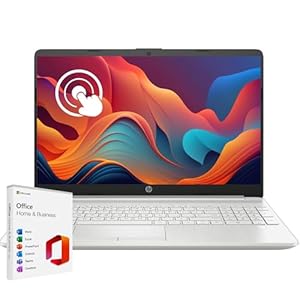
HP Latest Pavilion 15.6″ HD…
【Processor】 Powered by the 12th Gen Intel Core i3-1215U processor (up to 4.4 GHz, 10 MB…

Extended Gaming Mouse Pad, Large …
💻【ULTRA-SMOOTH SURFACE】: This large mouse pad adopts superfine Lycra cloth on cover, which will make your…