
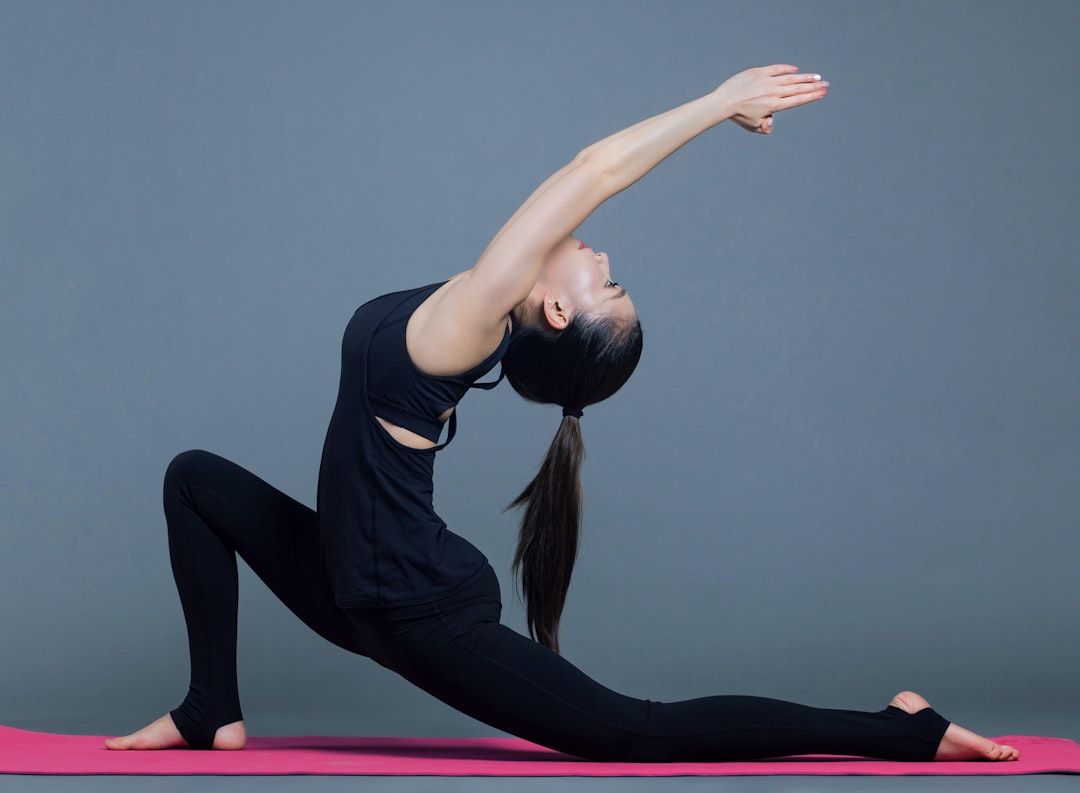
Good posture isn’t just about looking confident — it reduces strain, improves breathing, and helps you move more efficiently through everyday tasks. Small, consistent adjustments during common activities add up to noticeable change without expensive equipment or major time commitments.
This guide gives practical, easy-to-apply tips for standing, sitting, sleeping, lifting, and moving throughout the day. Use the short exercises and product suggestions to build habits that protect your back, neck, and shoulders.
Why posture matters
Posture affects how your joints and muscles share the load of daily life. Poor alignment places extra stress on the spine and surrounding muscles, which can lead to stiffness, pain, and fatigue. Simple self-care routines, focused breathing, and targeted stretches support long-term alignment and comfort. For more ideas on everyday wellness tools, see Wellness & Self-Care.
Desk and computer posture
If you work at a laptop or computer, keep the top of the screen at or slightly below eye level and about an arm’s length away. When the screen is too low you lean forward; when it’s too close you hunch your shoulders. If you frequently use a laptop, consider elevating it or using an external monitor so your head stays balanced over your spine. A well-configured device like the HP Pavilion can be easier to position correctly on a home desk.
Ergonomic accessories that help
Peripherals that reduce reaching and wrist strain support a neutral, relaxed posture. A compact wireless keyboard and mouse let you place input devices at the right height without being cramped; keep your elbows near your sides and wrists straight. If you need a reliable option, try a practical combo like the wireless keyboard and mouse combo.
Desk mat and wrist support
A large, non-slip desk pad creates a continuous surface for your keyboard and mouse and helps maintain consistent arm positioning. It also cushions the forearms and reduces shoulder tension. An extended pad that supports both typing and mousing helps prevent reaching and encourages neutral wrists; consider an option like the extended gaming mouse pad for desk-wide support.
Footwear and foot support for standing and walking
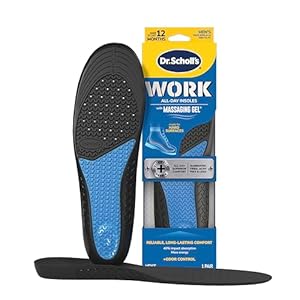
Your feet are the foundation for posture: unsupported feet can tilt hips and change spinal alignment. If you stand for long periods or walk a lot, choose supportive insoles to reduce fatigue and keep your hips level. Insoles with arch and heel support can make standing and commuting more comfortable; a practical option is Dr. Scholl’s Work All-Day insoles.
Lifting, carrying, and household chores
Use your legs rather than your back when lifting: hinge at the hips, keep the chest lifted, and bring the load close to your body. For tasks at counters, adjust the working height to keep your shoulders relaxed — raising or lowering surfaces and tools decreases forward reach. Small home adjustments (anti-fatigue mats, appropriate counter heights, or a sturdy stool during prep tasks) all help maintain a neutral spine. Browse smart options to outfit your space under Home Essentials.
Stretching, micro-breaks, and recovery
Micro-breaks every 30–45 minutes — even 60 seconds of shoulder rolls, chin tucks, or standing hip hinges — prevent stiffness and reinforce good posture. Foam rolling, gentle neck circles, and targeted massage reduce muscle guarding. Regular recovery sessions or home massage tools can be part of your routine; check out ideas in the Massage & Spa selection to aid tension relief.
Sleep posture and nighttime alignment
Your sleeping position affects morning stiffness. Side sleepers should use a firm pillow between the knees to keep hips aligned; back sleepers benefit from a small pillow under the knees to preserve lumbar curve. If nighttime comfort is an issue, consider products that improve sleep quality and spinal support; explore options in Stress Relief & Sleep Aids.
Quick daily cues to stay aligned
- Head up, ears over shoulders — avoid jutting the chin forward.
- Shoulders relaxed and slightly back, not rounded.
- Neutral pelvis: avoid excessive arching or tucking the lower back.
- Feet hip-width apart when standing; shift weight occasionally.
- Breathe deeply to maintain core engagement and reduce tension.
Short checklist
- Raise screens to eye level.
- Use a keyboard and mouse that allow elbows at 90°.
- Pause every 30–45 minutes for a 60-second mobility break.
- Wear supportive insoles for long standing/walking days.
- Use pillows to support spinal curves while sleeping.
FAQ
Q: How quickly will I notice posture improvements?
A: Small changes can reduce discomfort within days; longer-term alignment and strength take several weeks of consistent practice.
Q: Do I need special equipment to improve posture?
A: No — many improvements come from awareness and habits. Ergonomic tools (keyboard, desk pad, insoles) speed progress and reduce strain.
Q: What’s the best sitting position for posture?
A: Sit with feet flat, knees at hip level or slightly lower, pelvis neutral, and screen at eye level. Use lumbar support if your chair lacks it.
Q: Can brief stretches during the day really help?
A: Yes. Short, frequent mobility breaks prevent stiffness and retrain muscles to hold better alignment under load.
Q: Are insoles necessary if my shoes feel fine?
A: If you stand or walk a lot and notice fatigue or hip/back discomfort, insoles that support arches and heels often reduce compensatory strain.
Conclusion
Improving posture is a matter of consistent, practical habits: position your screens and peripherals correctly, support your feet, move regularly, and use simple props when needed. Start with one change this week — for example, raise your screen or take a mid-hour mobility break — and build from there. Small steps add up to lasting comfort and better alignment.
Products Featured in This Article

HP Latest Pavilion 15.6″ HD…
【Processor】 Powered by the 12th Gen Intel Core i3-1215U processor (up to 4.4 GHz, 10 MB…

Extended Gaming Mouse Pad, Large …
💻【ULTRA-SMOOTH SURFACE】: This large mouse pad adopts superfine Lycra cloth on cover, which will make your…
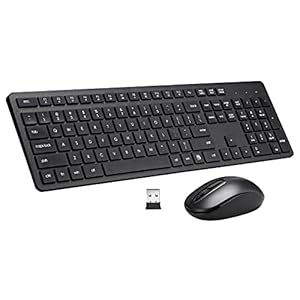
Wi-fi Keyboard and Mouse Combo, 2…
Full Sized Keyboard and Mouse Combo: The US QWERTY keyboard features a tilt angle for the…